Table of Contents
1. The Industry Problem: Booking Chaos Costs Revenue
Every portable restroom operator knows the frustration: a customer calls at 7 AM asking for six units delivered to a construction site by noon. You check a spreadsheet, make three phone calls, realize two of those units are still at last weekend’s event, and by the time you call back the customer has already booked with someone else.
This is the reality for operators who still manage bookings through manual processes. Phone calls, spreadsheets, and sticky notes create a chain of problems:
- Double bookings two customers confirmed for the same unit on overlapping dates because nobody updated the availability sheet.
- Missed deliveries drivers dispatched to the wrong site or at the wrong time because verbal instructions got garbled.
- No real-time visibility you cannot confirm availability on the spot because nobody knows which units are rented, which are in maintenance, and which are sitting idle at a warehouse.
- Lost revenue every minute you spend verifying availability is a minute your competitor spends confirming the order.
The cost is not just operational headaches. It is revenue walking out the door. When a customer cannot get instant confirmation, they move on. When a delivery gets botched, you lose the repeat business. When availability is a guessing game, your fleet sits underutilized while demand goes unmet.
Rental management software exists to solve exactly this problem by creating a single source of truth for every unit, every booking, and every delivery in your operation.
2. What Modern Rental Management Looks Like
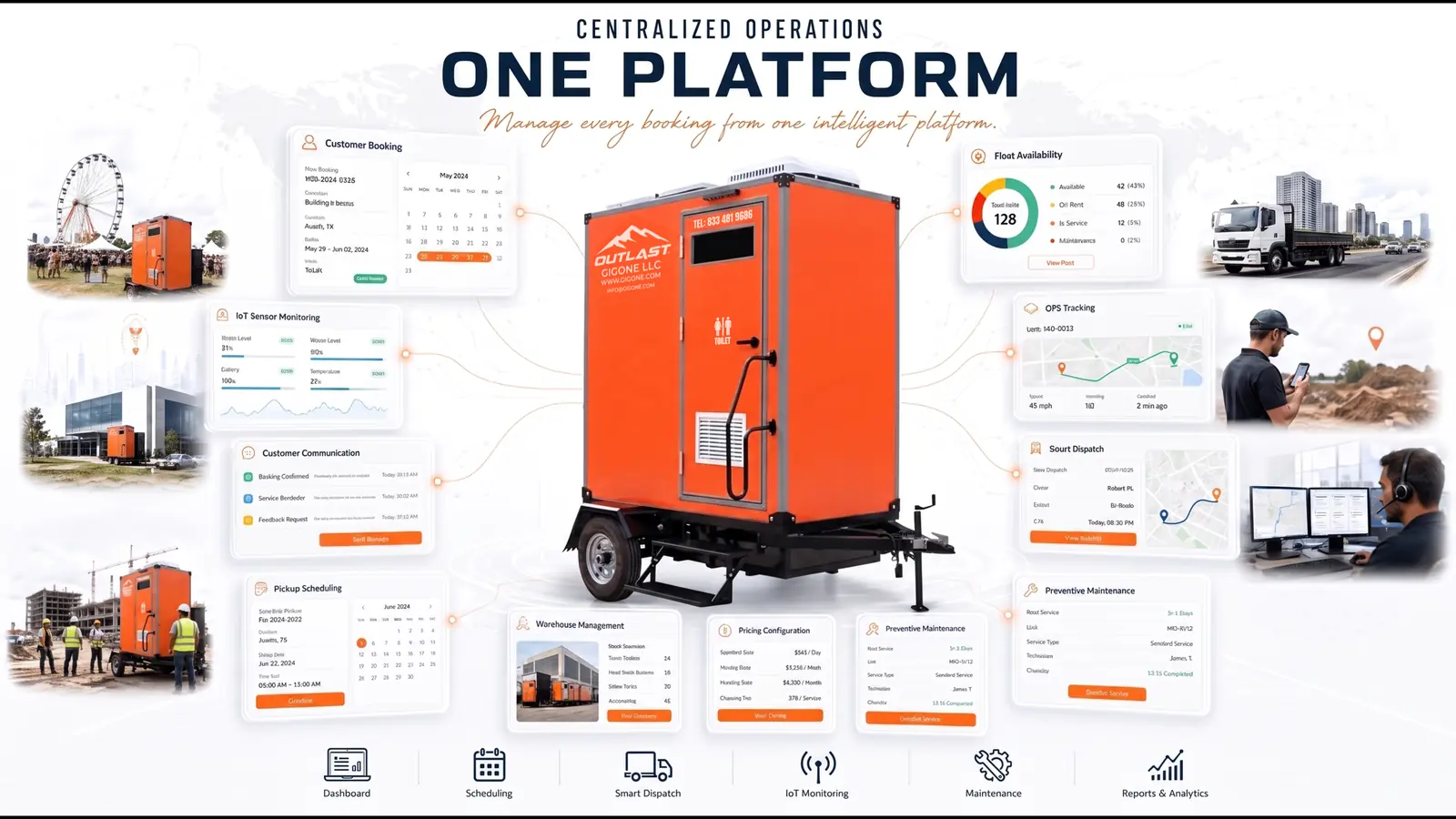
Modern rental management replaces the phone-and-spreadsheet cycle with a unified digital workflow. At its core, it provides five capabilities:
- Real-time fleet availability every unit’s status (available, rented, in maintenance, in transit) is visible at a glance, updated automatically as bookings are placed and orders fulfilled.
- Customer self-service booking customers browse available products, select rental periods, choose delivery options, and complete checkout without a single phone call.
- Partner approval workflow operators receive booking requests instantly, review details, and accept or reject with one click.
- Flexible pricing configuration rates can be set by model, duration (hourly, daily, weekly, monthly), location, and date range.
- End-to-end status tracking from order placement through delivery, rental period, pickup, and return, every stage is logged and visible to both parties.
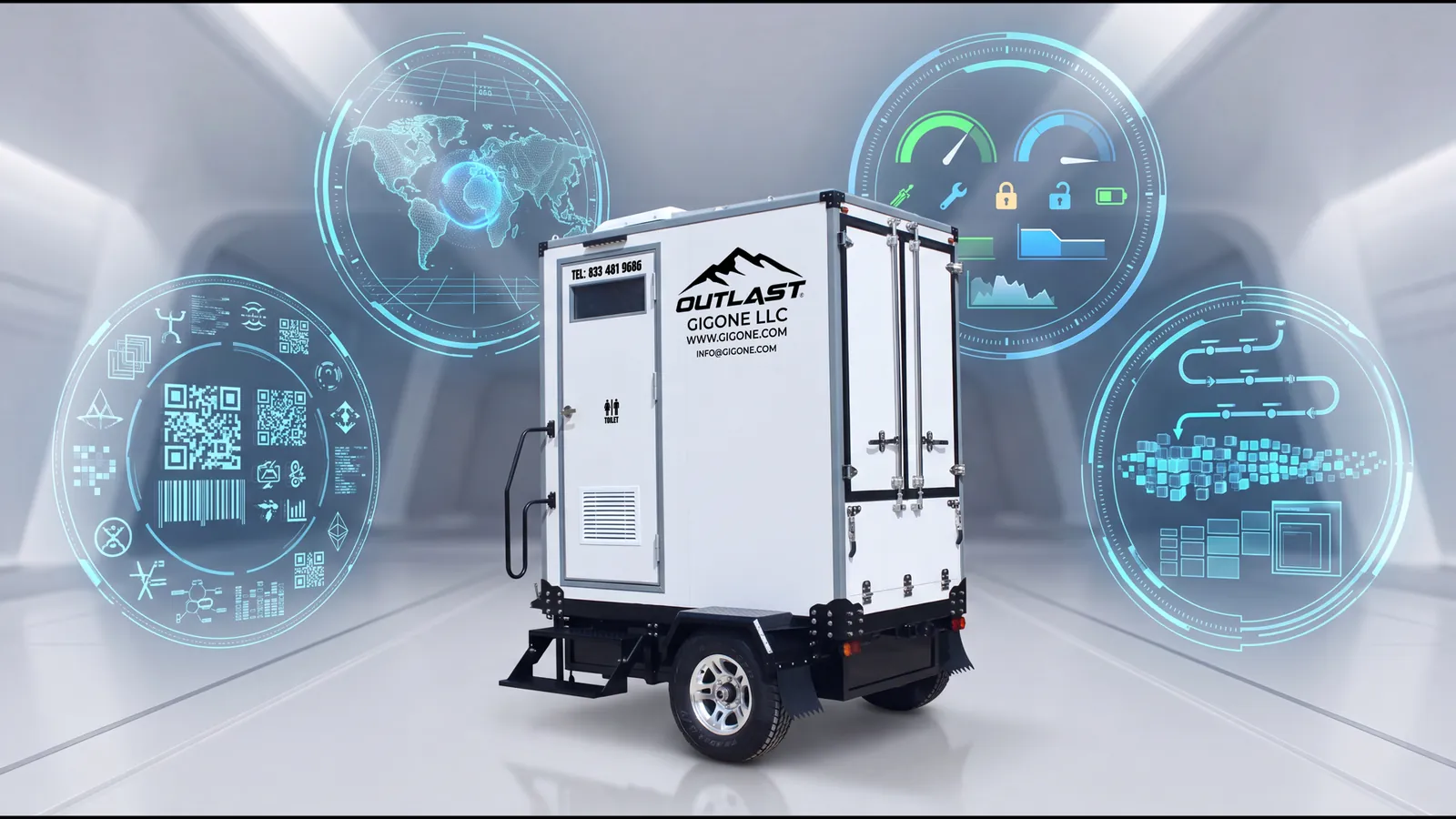
The GIG1 FLEET MANAGEMENT PLATFORM implements all five of these capabilities in a single integrated system that connects booking directly to asset tracking, IoT monitoring, and maintenance scheduling.
3. The Customer Booking Experience
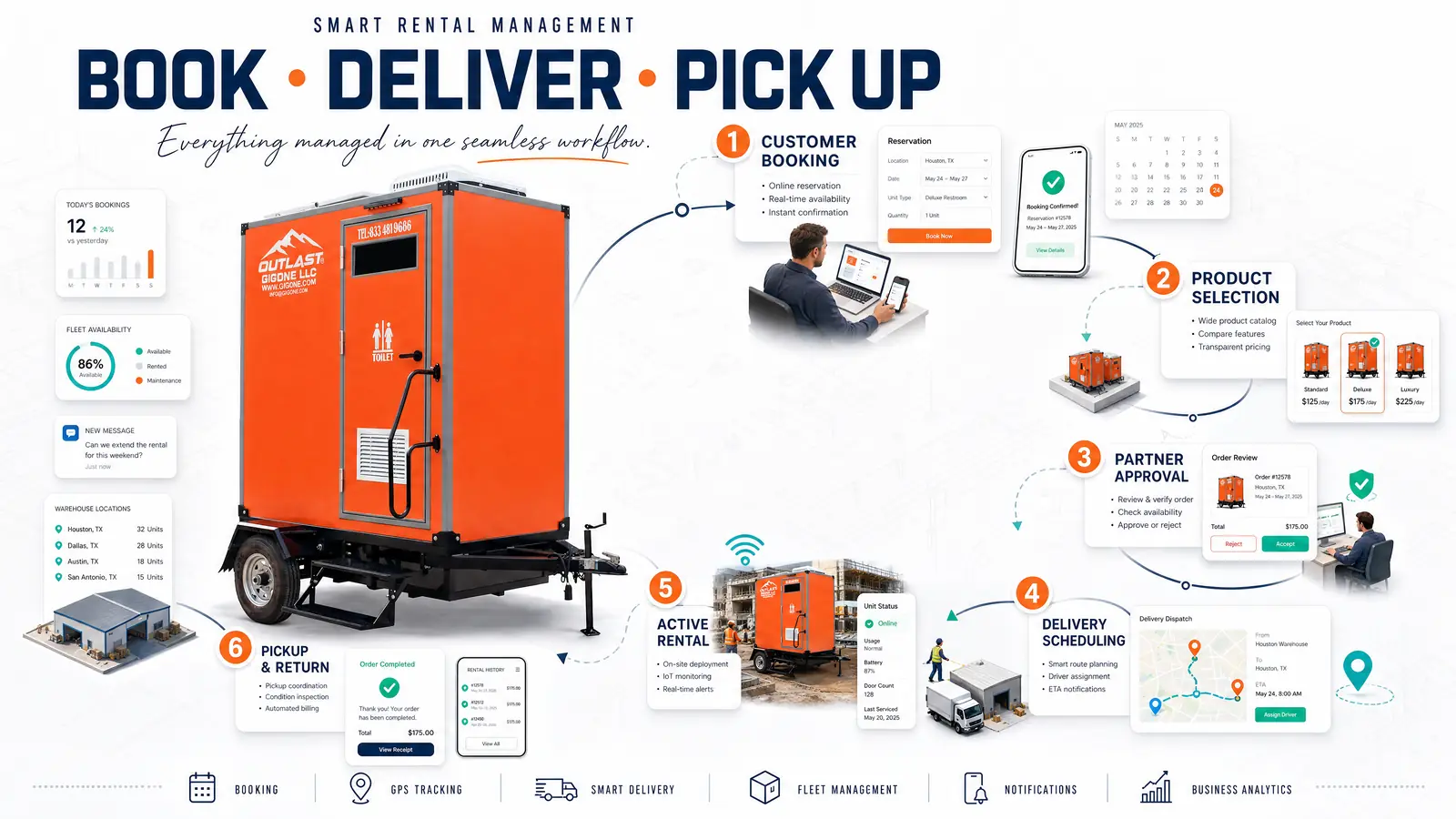
A streamlined booking experience starts from the moment a customer lands on the platform. Here is how the GIG1 FLEET MANAGEMENT PLATFORM customer booking workflow operates:
Step 1: Browse by Location
Customers filter available products by region, country, state, and city. This ensures they only see units that are actually serviceable in their area. GIG1 FLEET MANAGEMENT PLATFORM currently covers Georgia, Florida, South Carolina, Alabama, and Tennessee through Gigone LLC.
Step 2: Select a Product
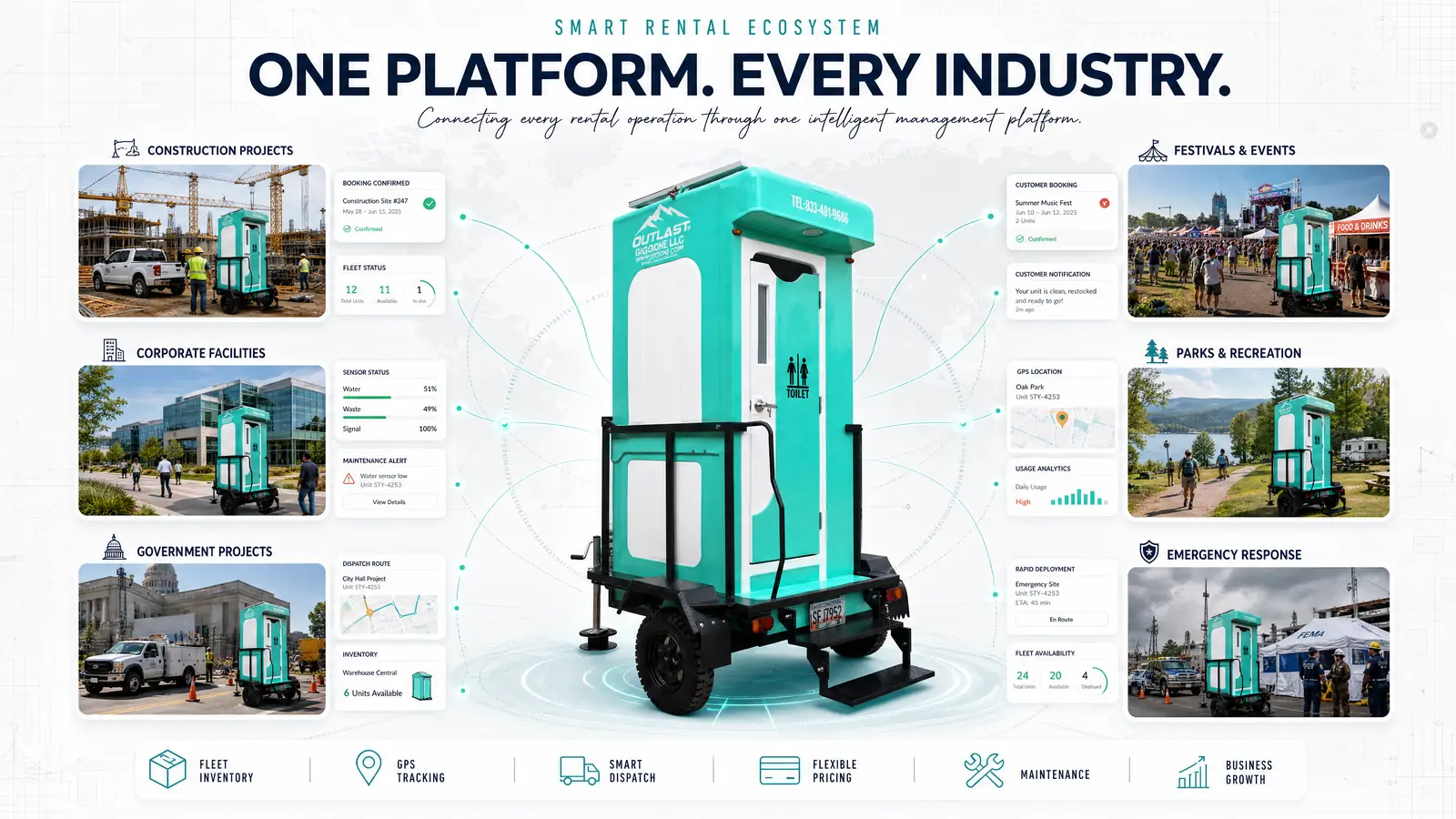
The product catalog displays each model with full specifications, amenities, photos, and rental pricing. The five available models span a range of applications:
| Model | Best For | Key Features |
|---|---|---|
| Premium Mobile Oasis™ – Model AA-1P | Luxury events, VIP areas | AC, hot water, solar power, vacuum toilet |
| Premium Mobile Oasis™ – Model A-1P | Long-term rentals, construction | AC, hot water, 378L freshwater tank |
| Flare Mobile Oasis A-1P | High-visibility events | Bold orange design, enhanced ventilation |
| Pearl Mobile Oasis B-1P | Corporate events, upscale venues | Nano-coated surfaces, float valve system |
| C-1P Professional Flush Portable Restroom | High-traffic sites, emergencies | Emergency discharge valve, composite build |
Step 3: Configure Rental Details
After selecting a model, customers specify:
- Quantity how many units they need
- Rental period start and end dates with specific times
- Delivery method standard delivery or special logistics
- Delivery address with interactive map selection for precise location placement
- Return options whether pickup is needed after the rental period ends
- Special instructions site access notes, placement preferences, or voucher codes
Step 4: Review and Checkout
The order summary calculates the total cost based on the rental duration, unit price, deposit, and estimated delivery fee. Rental pricing follows a tiered structure:
| Duration | Rate |
|---|---|
| Hourly | $1/hour |
| Daily | $10/day |
| Weekly | $50/week |
| Monthly | $100/month |
Customers review the breakdown and place the order. The system immediately notifies the assigned partner for approval.
4. The Partner Approval Workflow
On the operator side, every incoming booking appears on the Partner Booking Schedule a centralized dashboard that replaces phone messages and email chains.
The approval process works in three steps:
- Receive notification the system pushes a real-time alert when a new booking request arrives. The notification includes customer details, requested model, rental period, delivery address, and calculated fees.
- Review and decide the partner reviews the request against current fleet availability. Because the system integrates with asset management, the partner can instantly verify whether the requested units are available, or whether they are currently rented, in transit, or under maintenance. One click to Accept or Reject.
- Status progression once accepted, the booking moves through a defined lifecycle:
- Awaiting Delivery Fee customer payment confirmation pending
- Confirmed payment received, delivery scheduled
- Delivered unit placed at customer site
- Active rental period in progress
- Returned unit picked up and checked back in
Each status change triggers automatic notifications to the customer via email and in-app alerts eliminating the “when is my delivery coming?” phone calls.
5. Pricing Configuration for Partners
Flexible pricing is critical for operators who serve multiple markets with different demand patterns. The GIG1 FLEET MANAGEMENT PLATFORM gives partners granular control over their rental economics:
Setting Up Model Pricing:
- Select the product model you want to price (e.g., Premium Mobile Oasis™ – Model A-1P)
- Choose the duration unit hourly, daily, weekly, or monthly
- Set minimum and maximum rental durations for example, 4 hours minimum, 720 hours (30 days) maximum
- Define rates for each tier hourly rate, daily rate, weekly rate, monthly rate
- Set the deposit amount required to confirm the booking
- Specify effective dates pricing can be time-limited for seasonal promotions or event-specific rates
This structure allows operators to:
- Price by model tier premium units like the AA-1P command higher rates than the C-1P Professional
- Set seasonal pricing raise rates during peak event season, offer discounts during slow periods
- Enforce minimum commitments prevent unprofitable micro-rentals with minimum duration limits
- Manage deposits protect against no-shows and cancellations
Partners can register multiple pricing configurations for the same model, targeting different date ranges or duration brackets. This eliminates the need to manually adjust prices as seasons change.
6. Delivery & Pickup Logistics
Booking confirmation is only the beginning. Getting the unit to the right place at the right time and retrieving it afterward is where many operators stumble.
The GIG1 FLEET MANAGEMENT PLATFORM handles logistics through:
- Automatic distance calculation the system calculates the distance from the partner’s warehouse to the delivery address, informing both delivery fee estimation and route planning
- Delivery fee transparency customers see the estimated delivery cost during checkout, before they commit to the order
- Warehouse integration the system knows which warehouse each unit is stored in, so it selects the closest available unit for delivery
- Pickup scheduling when the rental period ends, the system triggers pickup scheduling based on the return option the customer selected at checkout
- GPS-verified delivery because each unit is equipped with GPS sensors, the partner can confirm the unit has arrived at the correct location without relying on driver self-reporting
For operators managing multiple warehouses across different cities, this logistics layer eliminates the coordination chaos that comes with manual dispatch.
7. Customer Communication & Lifecycle Management
Transparent communication throughout the rental lifecycle reduces support requests and builds customer trust. The GIG1 FLEET MANAGEMENT PLATFORM automates communication at every stage:
- Booking confirmation email and in-app notification when the partner accepts the order
- Delivery updates notification when the unit is en route and when it has been placed
- Rental period reminders alerts before the rental end date, giving customers time to extend or confirm pickup
- Maintenance coordination if a unit requires service during the rental period, the customer can submit a maintenance request directly from the platform. They select the service type, set priority, describe the issue, and submit. The partner receives the request and dispatches a technician through the maintenance workflow
- Return confirmation notification when the unit has been picked up and checked back in
Customers can also access their complete booking history, review past orders, track active rentals, and manage cancellations all from the same account they used to place the original order.
8. How Rental Management Connects to Other Modules
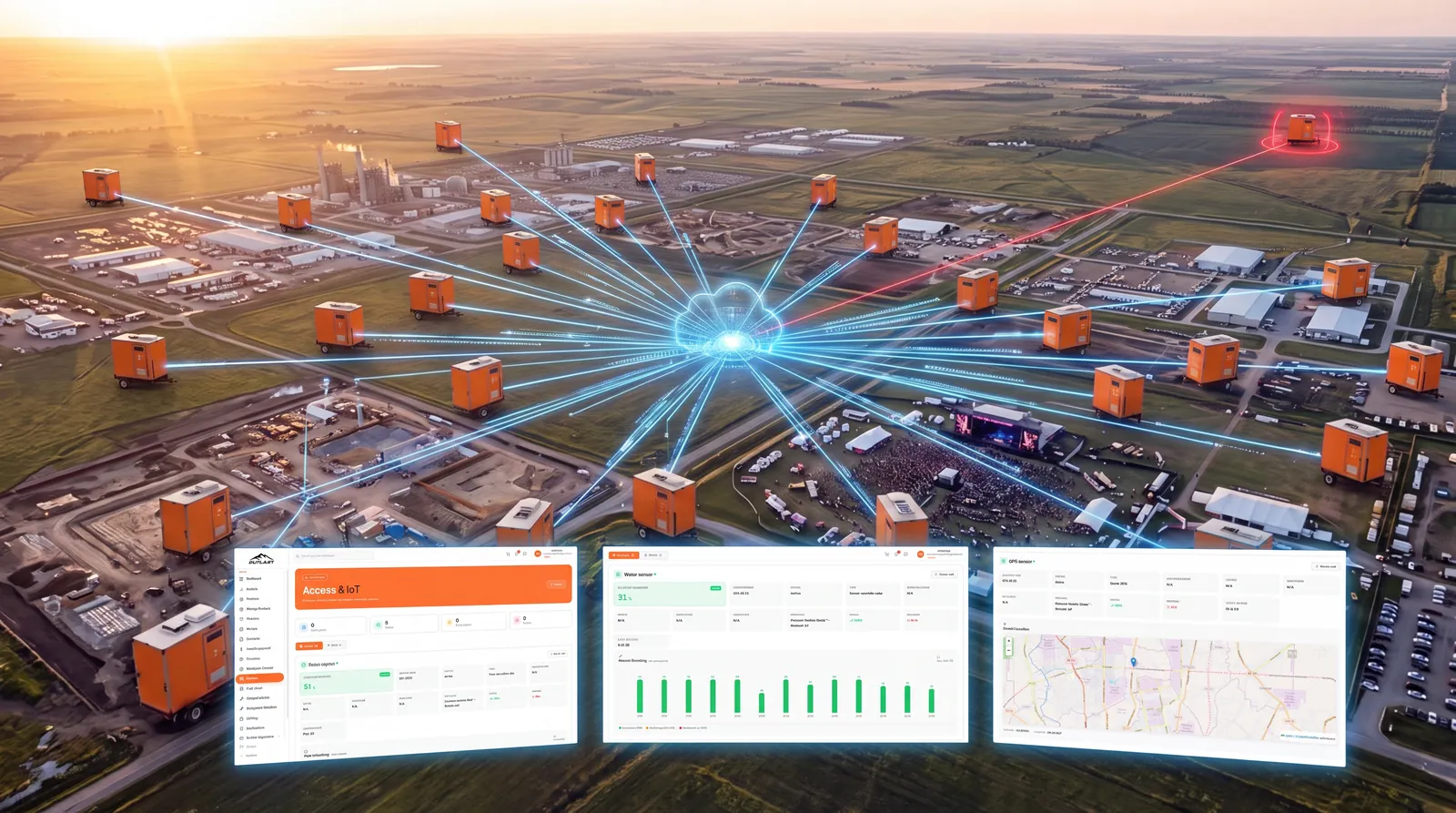
Rental management does not operate in isolation. Its value multiplies when it shares data with the rest of the smart restroom management platform:
| Connected Module | What It Shares | Why It Matters |
|---|---|---|
| Asset Tracking | Real-time unit availability, location, condition | Partners know exactly which units can be booked |
| IoT Monitoring | Water level, waste level, GPS position | Delivery confirmation, proactive servicing during rental |
| Maintenance | Units under maintenance = auto-unavailable | Prevents booking units that cannot be delivered |
| Analytics | Booking volume, revenue per model, demand by city | Data-driven pricing and fleet expansion decisions |
This integration means a unit that enters maintenance is automatically removed from available inventory. A booking that creates a delivery route feeds into the maintenance route planner. Revenue from every rental feeds directly into the analytics dashboard for performance analysis.
One system. Every module talking to every other module. No data silos, no manual syncing, no spreadsheet reconciliation.
9. FAQ
How do customers book a portable restroom through GIG1 FLEET MANAGEMENT PLATFORM?
Customers browse products by location, select a model, choose their rental duration, enter a delivery address, and complete checkout online. The assigned partner receives a notification and accepts or rejects the booking typically within hours.
Can partners set different rental rates for different models?
Yes. Partners configure hourly, daily, weekly, and monthly rates plus deposit amount for each model individually. They can also set minimum and maximum rental durations and define effective date ranges for seasonal pricing.
What happens if a booked unit needs maintenance during the rental period?
The customer submits a maintenance request through the platform, specifying the service type, priority, and issue description. The partner receives the request and dispatches a technician through the integrated maintenance workflow.
How does the system prevent double bookings?
The platform maintains real-time availability for every unit. When a booking is confirmed, those units are immediately marked as rented. Units under maintenance are automatically flagged as unavailable. Partners see only truly available inventory when reviewing new requests.
What delivery areas does GIG1 FLEET MANAGEMENT PLATFORM currently cover?
GIG1 FLEET MANAGEMENT PLATFORM currently provides service coverage across Georgia, Florida, South Carolina, Alabama, and Tennessee through Gigone LLC, with delivery fees calculated based on distance from the nearest partner warehouse.